Stitch It
Screenshot stitching app for iPhone and Android
Combine screenshots into one long image — a whole conversation in a single picture.
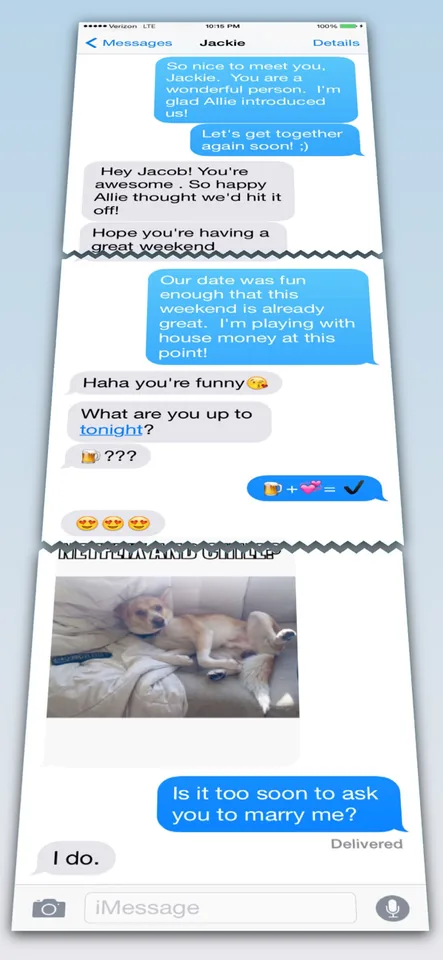
Stitch It merges multiple screenshots into one seamless image. Import a batch, drag them into order, crop the overlapping edges, and export a single long screenshot of an entire text conversation, receipt, or webpage. It stitches vertically or horizontally, includes blur, pixelate, and solid-color redaction for private details, and exports PNG, JPG, or PDF — all processed on your device. On the App Store since 2012, and also available on Google Play.
The problem
The conversation never fits on one screen
A text thread, receipt, or webpage that matters is always longer than your display. So you take six screenshots and send them one by one — they arrive out of order, the context gets lost, and anything private is visible to whoever scrolls through.
The fix
One image that tells the whole story
Stitch It combines your screenshots into a single continuous image. Import them all at once, arrange with drag-and-drop, crop away the overlap, and blur out anything private. Export one clean PNG, JPG, or PDF and share it anywhere.
Features
What it does
Vertical and horizontal stitching
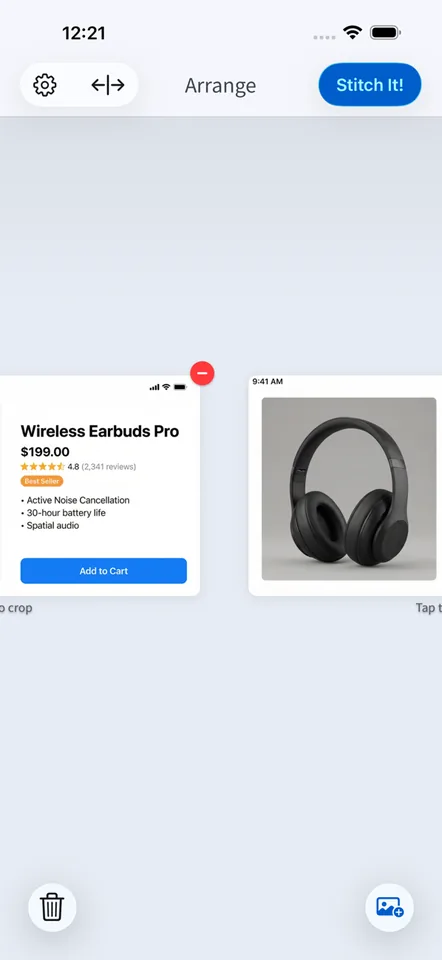
Stack screenshots top-to-bottom for chat threads and pages, or side-by-side for comparisons — most apps only do one.
Batch import and arrange
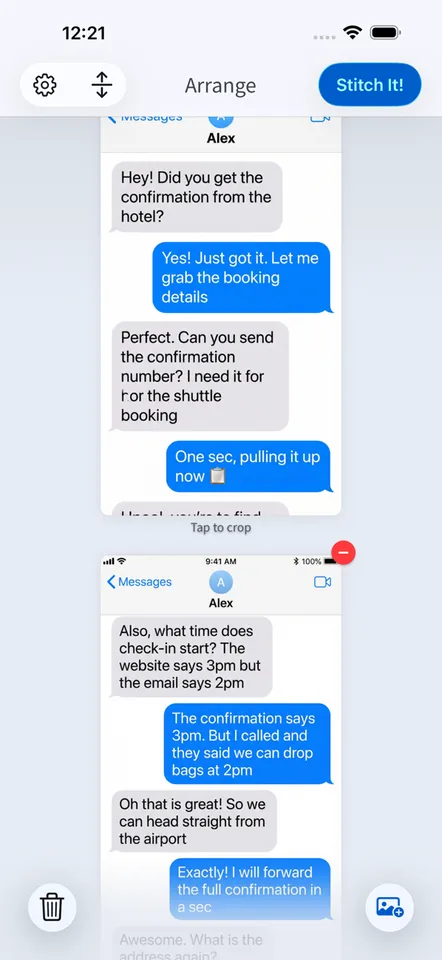
Load dozens of screenshots at once and drag them into the right order.
Crop and align edges
Trim the top and bottom of each screenshot so the seams disappear and the result reads as one continuous capture.
Redact private details
Blur, pixelate, or block out names, addresses, and account numbers before you share.
Export PNG, JPG, or PDF
Save in the format the recipient needs and share to any app.
On-device processing
Stitching happens entirely on your phone — your photos never leave it.
In the app
Screens
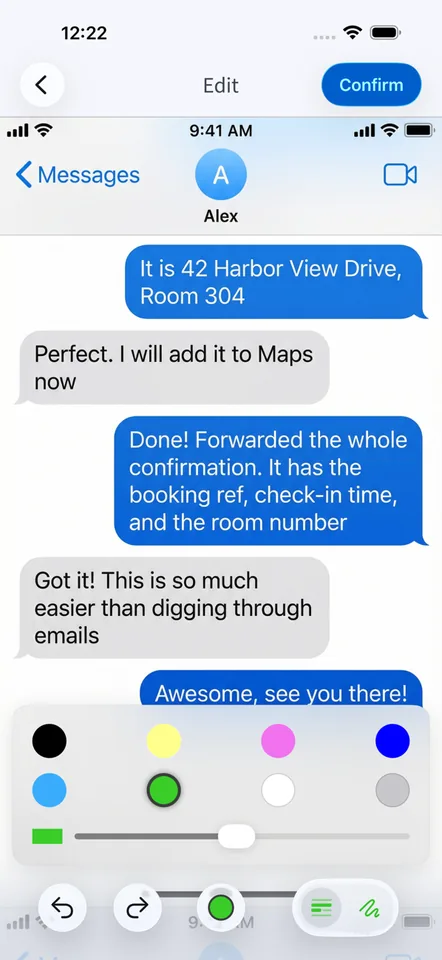
Use cases
Where it fits
Share a whole text conversation
Capture a long iMessage or WhatsApp thread as one image instead of a stack of out-of-order screenshots.
Keep a full receipt or confirmation
Save an entire order confirmation or booking email as a single record you can file or forward.
Save a scrolling page or thread
Turn a full article, social thread, or comment section into one long screenshot.
Compare things side by side
Stitch horizontally to put two prices, designs, or listings next to each other in one image.
Compared
Other ways people share what doesn't fit on one screen
| The alternative | Why it falls short | How Stitch It helps |
|---|---|---|
| Sending multiple screenshots | They arrive as a messy stack, often out of order, and the thread is hard to follow. | One continuous image keeps the whole conversation in sequence. |
| Screen-recording a video | Huge files the recipient has to sit through and can't skim or search. | A single image is small, skimmable, and easy to save or print. |
| Generic photo collage apps | Built for grids and borders, not for aligning screenshot edges into a seamless scroll. | Purpose-built cropping and alignment make the seams disappear. |
FAQ
Frequently asked questions
How do I combine screenshots into one image on iPhone?
Import your screenshots into Stitch It, drag them into order, crop the overlapping edges, and tap Stitch It. You get one long image you can save or share anywhere.
Is Stitch It free?
Yes — the app is free to use with a small watermark on exports. A Pro upgrade removes the watermark, unlocks unlimited images per stitch, and removes ads.
Can I share a whole text conversation as one image?
Yes. Screenshot the conversation as you scroll, then stitch the captures vertically into one continuous image of the entire thread.
Can I hide private information before sharing?
Yes. Built-in redaction tools let you blur, pixelate, or cover names, phone numbers, addresses, and account details before you export.
Are my screenshots uploaded anywhere?
No. All stitching and redaction happens on your device — your photos never leave your phone.
Does Stitch It work on Android?
Yes. Stitch It is available on the App Store for iPhone and iPad and on Google Play for Android.
Turn scattered screenshots into one image
Free to download on iPhone, iPad, and Android. Stitch your first conversation in under a minute.